macOS · free

MMedit

Native macOS text editor: multi-document tabs, syntax highlighting, encodings, Terminal integration, and an AI chat panel with OpenAI-compatible APIs—in one lightweight window.

$ mmedit README.md
Download for macOS (.dmg) Details

MMedit in action

Native window and Terminal launch—the same workflow you use every day.

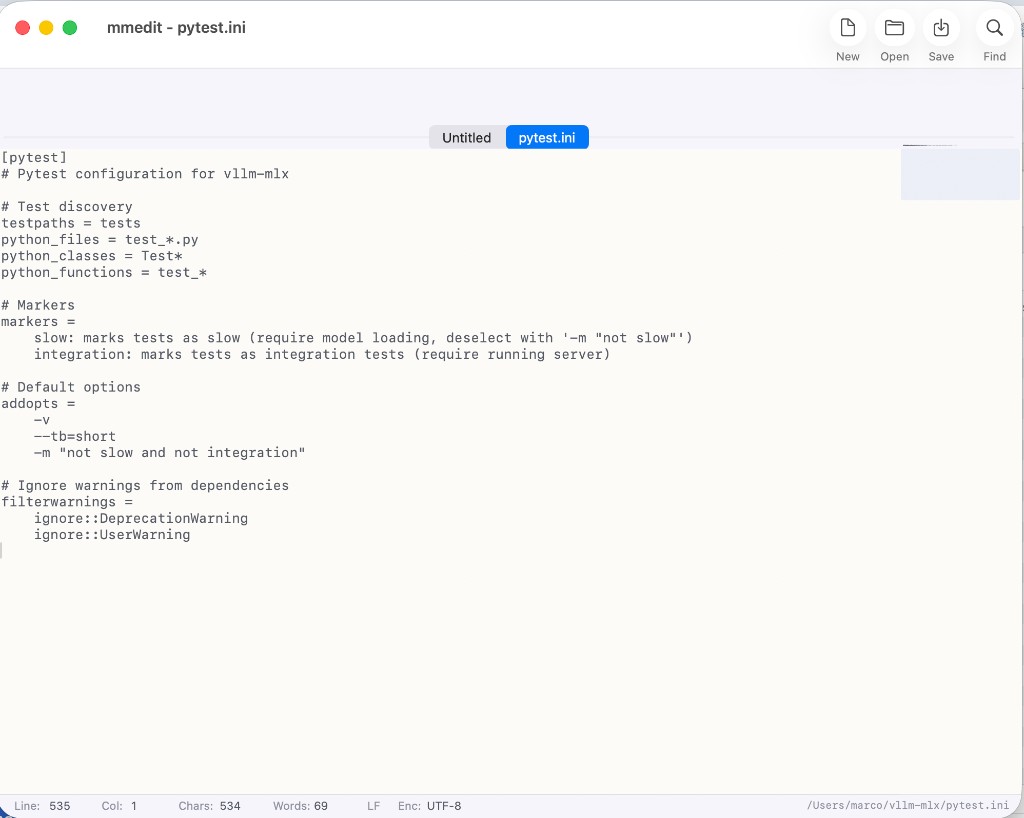
MMedit window editing pytest.ini: document tabs, toolbar, status bar showing UTF-8 and LF
Tabs, toolbar (New, Open, Save, Find), and status bar with line, column, UTF-8 encoding, LF line endings, and full file path.
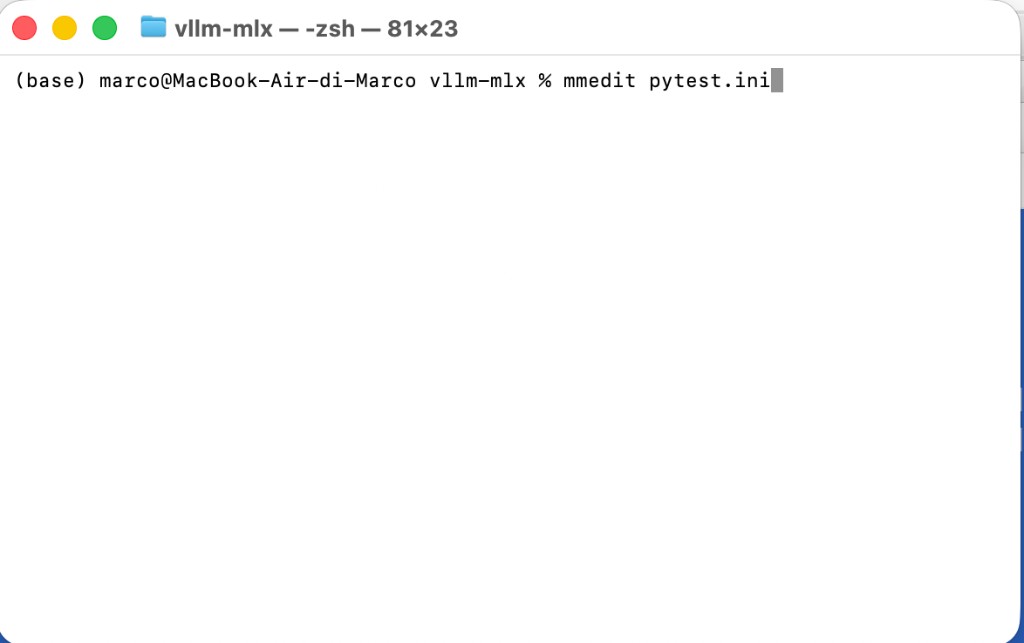
macOS Terminal with command mmedit pytest.ini
Open from the shell: mmedit followed by the file path.

MMedit features

Grouped the way you work: files & sessions, editing & search, view, smart editing, AI, and macOS integration.

Files & sessions

  • New, Open, Save, Save As
  • Open Recent (up to 10 files, with Clear Menu)
  • Reveal in Finder and Copy file path
  • Close window
  • Open from command line (mmedit path), Open With / URL schemes, drag-and-drop into the editor
  • Periodic auto-save and session restore on launch

Encoding & line endings

  • Encoding detection on read (BOM, UTF-8, UTF-16, ISO Latin 1 fallbacks, etc.) in the Document model
  • Read/write encodings: UTF-8, UTF-16, ASCII
  • Line endings: Unix (LF), Windows (CRLF), Classic Mac (CR)

Text editing

  • Undo / Redo, Cut / Copy / Paste, Select All
  • Find, Find Next, Replace
  • Toggle line comment
  • Look up in the system dictionary

View & UI

  • Toolbar: New, Open, Save, Find
  • Tabs for multiple documents in one window
  • Line numbers, word wrap, invisible characters
  • Zoom in, out, reset
  • Full path in the title bar, focus mode (hides chrome)
  • Document minimap
  • Pastel theme for windows, editor, and UI
  • Status bar: line, column, characters, words, encoding, line ending, auto-save indicator, and more

Line navigation & smart editor

  • Go to line; move line up / down
  • Syntax highlighting for common extensions (Swift, Python, shell, JavaScript, JSON, …)
  • Highlight matches for the current selection and matching brackets
  • Smart indent on new line (spaces/tabs, configurable tab width)

AI

  • Chat panel (toggle)
  • OpenAI-compatible API settings
  • Include editor text in the prompt
  • Clear chat

System & macOS

  • Install / remove Terminal command (/usr/local/bin/mmedit via AppleScript with admin rights)
  • Set as default app for plain text (.txt) and Markdown (.md)
  • Help menu: About, View changelog
  • Quit after closing the last window; reopen from the Dock

Ready to try it?

Download the macOS disk image from the link below (hosted on pCloud). If anything fails, message us.